Project Context
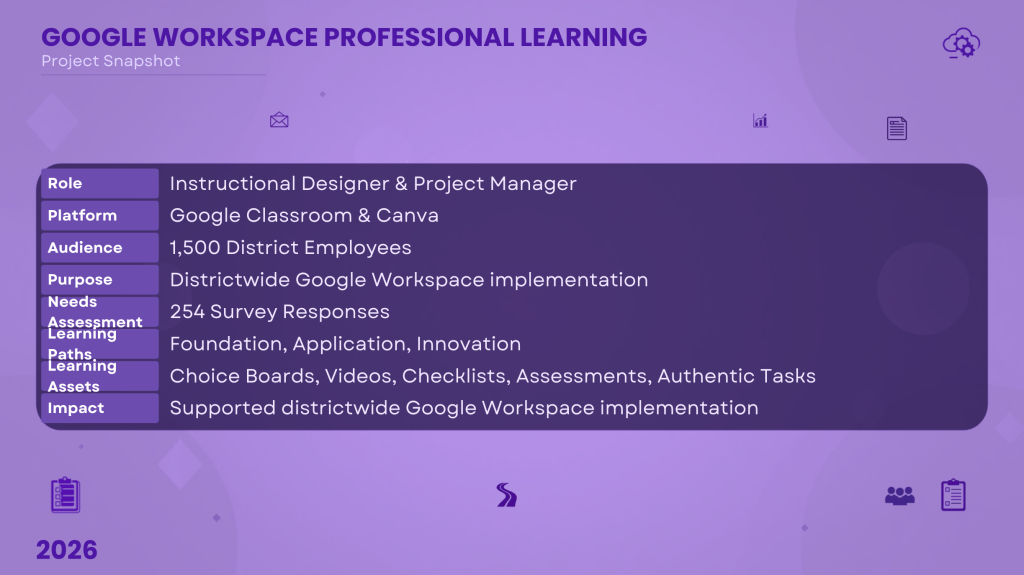
As Director of Digital Learning & Innovation for Copperas Cove ISD, I led the design of a districtwide professional learning program to prepare educators for the transition to Google Workspace. Survey data showed that staff entered the initiative with widely varying levels of confidence and experience, making a one-size-fits-all training model ineffective.
To address this need, I designed differentiated learning pathways that allowed educators to begin at their current skill level and progress through increasingly advanced applications of Google Workspace.
My Role
I served as the:
- Project Manager
- Instructional Designer
- Needs Assessment Lead
- LMS Course Designer
- Professional Learning Facilitator
I managed the project from initial needs assessment through curriculum design, resource development, implementation planning, and evaluation.
The Challenge
The district was transitioning to Google Workspace while supporting approximately:
- 1,500 staff
- 8,000 students
- 11 campuses
Survey results from 254 educators revealed significant differences in technology confidence and professional learning needs.
Rather than requiring every participant to complete identical training, I designed a differentiated model that honored adult learners’ prior knowledge while providing multiple entry points.
Click here to view the slide show that explains the entire project.
https://canva.link/7n9xmjn2qe4egsd
Instructional Design Approach
The professional learning program included three learning pathways:
Foundation
For educators beginning their Google Workspace journey.
Topics included:
- Drive organization
- Docs
- Slides
- Gmail
- Calendar
- Basic Classroom skills

Application
For educators ready to integrate Google Workspace into classroom instruction.
Examples included:
- Google Forms
- Classroom workflow
- Sheets
- Collaboration
- Student engagement

Innovation
For experienced users seeking to transform learning.
Included topics such as:
- Advanced collaboration
- Workflow automation
- Google Sites
- AI integration
- Interactive instructional design
Learning Design Features
The course incorporated numerous evidence-based adult learning strategies:
- Choice boards
- Self-paced learning
- Performance checklists
- Authentic classroom tasks
- Practical application
- Reflection
- Flexible pacing
- Learner autonomy
Participants completed meaningful activities instead of simply watching videos.
Needs Assessment
Professional learning decisions were driven by data.
I developed and analyzed a districtwide survey measuring:
- confidence levels
- technology use
- professional learning preferences
- instructional needs
The findings directly informed both the pathway structure and the content priorities.
Assessment Strategy
Instead of relying on seat time, the course emphasized demonstration of learning through:
- practical tasks
- performance checklists
- application activities
- authentic classroom products
Project Management
The project required coordination across multiple stakeholder groups, including:
- district leadership
- campus administrators
- instructional coaches
- teachers
- technology services
Resources, timelines, communications, and implementation plans were coordinated to support a districtwide technology transition.
Results
The project established a scalable framework for differentiated professional learning that:
- aligned learning experiences to educator readiness,
- reduced unnecessary training,
- increased participant choice,
- supported successful adoption of Google Workspace,
- created reusable instructional resources for future onboarding.
See the mini trainings here.
https://sites.google.com/ccisd.com/gooteach25/home

